2026-05-05
4 New Skema Capabilities That Improve Workflows

Skema delivers capabilities that tackle friction points your team hits every day.
Skema meets you in Miro
The idea of the "infinite canvas" has taken hold in architecture. More teams are using it to organize ideas, run workshops, and collaborate visually across disciplines — and Miro has become the place where much of that work happens.
Now Skema connects directly into Miro. Embed a live Skema viewport into any Miro board and your model shows up where decisions are actually being made — no exports, no switching tools, no version drift.
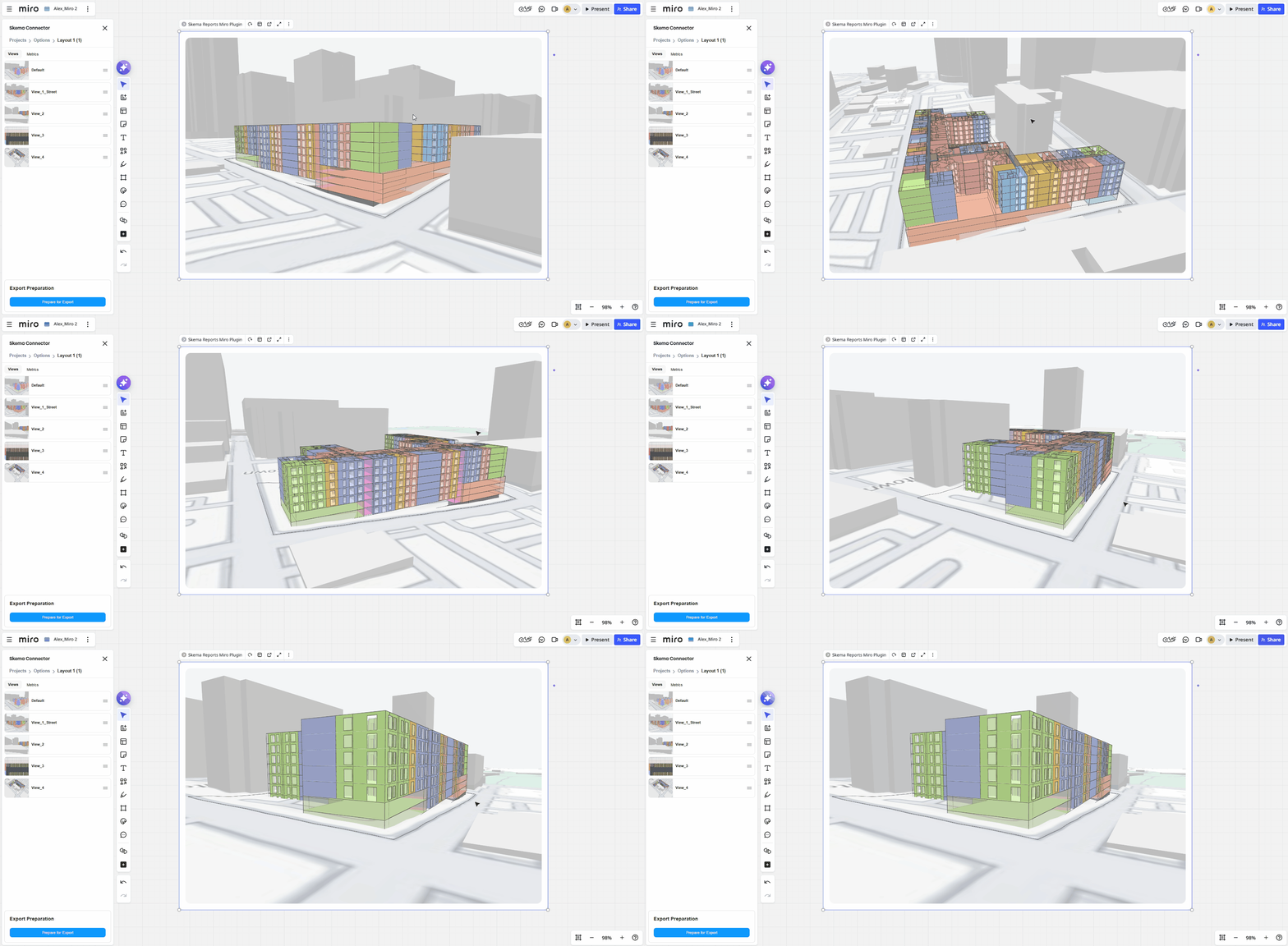
With the Skema-Miro integration, you get a fully interactive model, not just a static image
Flexibility for complex buildings
With our major rework of Skema Design Catalogs, we are delivering the flexibility that complex buildings like healthcare facilities demand.
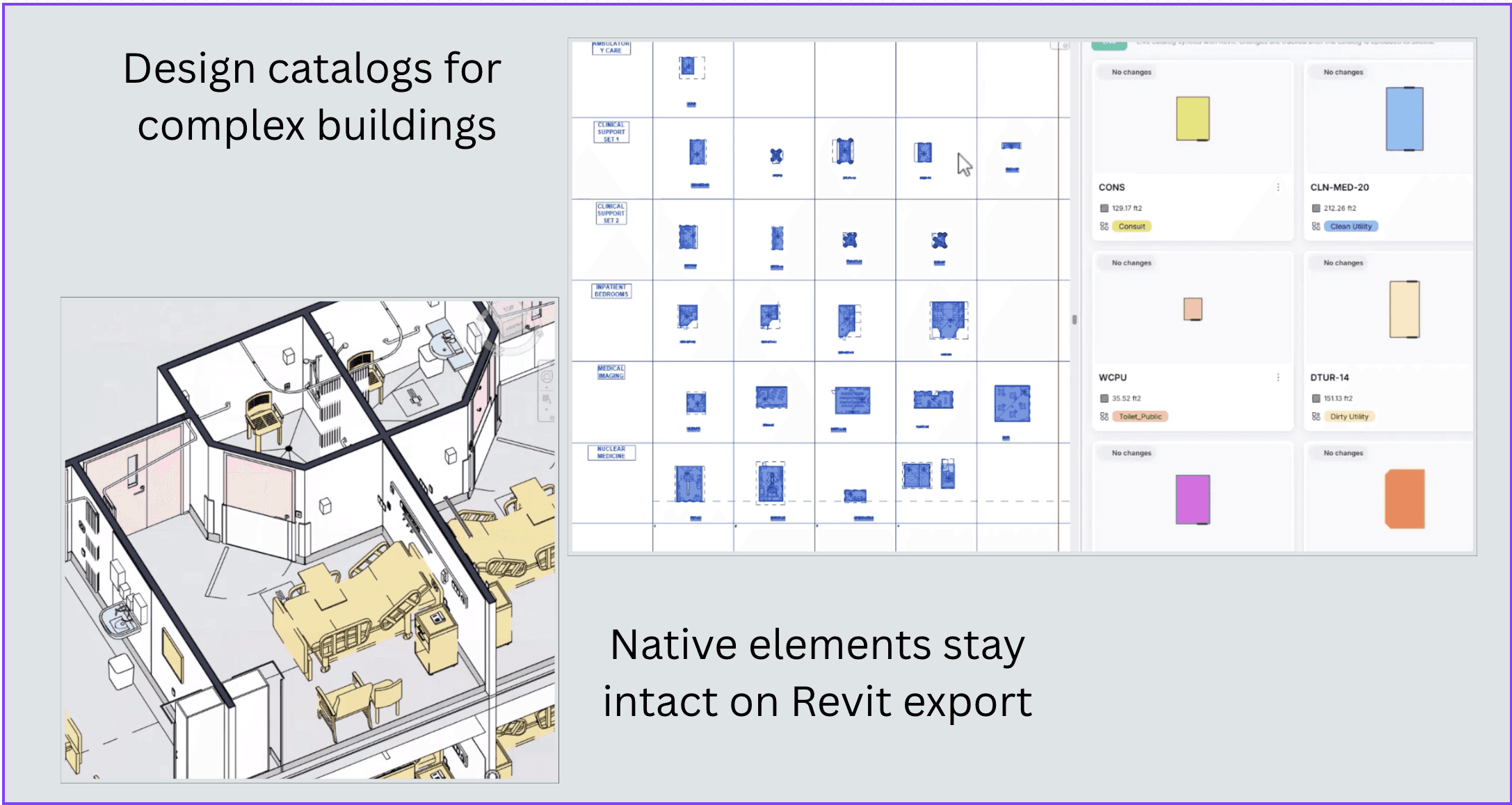
Watch Nikita generate a new hospital layout and send it directly to Revit, on YouTube
In Australia and New Zealand, architects and engineers rely on a set of standardized health planning units and room templates—known as AusHSF—to plan, design, and construct healthcare facilities.
We imported those components into a Skema Design Catalog, used the catalog to generate a new hospital layout, and exported it directly into Revit with all native elements intact. A complete hospital layout, Revit-ready.
Skema-Grasshopper integration
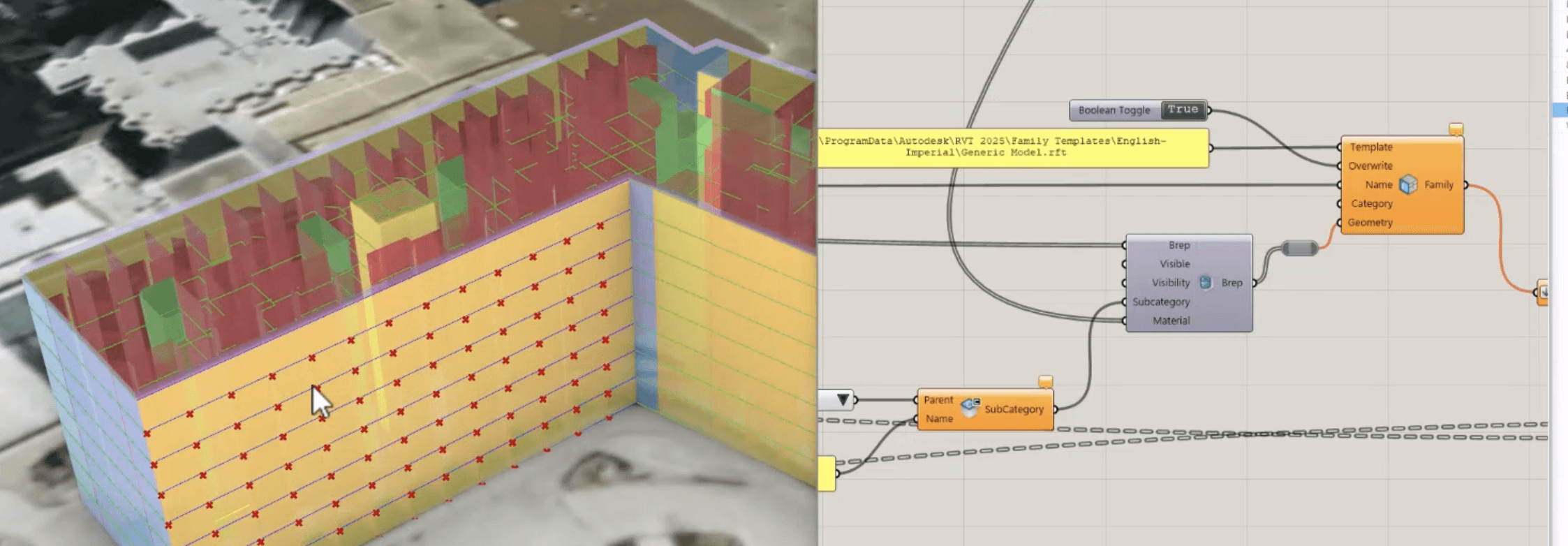
Custom computational designs in Grasshopper flow seamlessly into Skema
Skema’s data-rich analytical model is accessible inside Grasshopper. Develop elements like façades in Rhino, then push them into Revit using Rhino.Inside—while staying aligned with the same underlying model data. Skema maintains continuity and design intelligence as projects and teams move between tools.
Custom reports that work the way you do
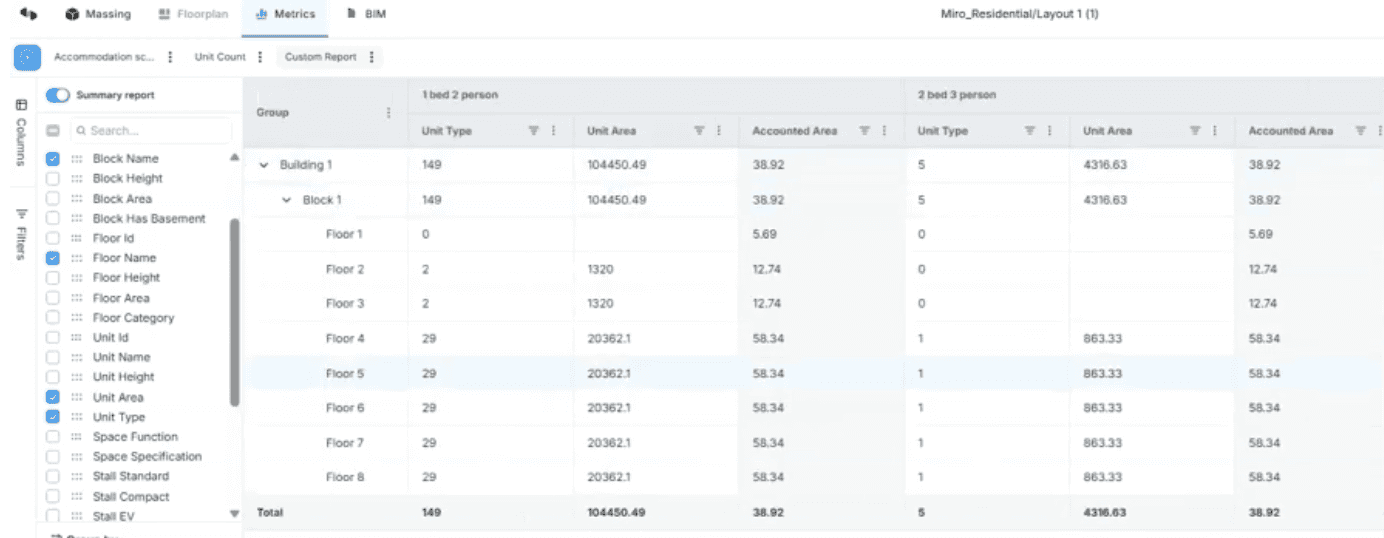
Because your reports are backed by live BIM data, you can be confident that every number reflects your resolved scheme. Run custom reports directly within Skema. Define calculations based on your model data, filter for specific conditions like circulation areas, and generate metrics such as Floor Efficiency Ratio on demand.
Skema tracks your key figures with precision — and now you can define exactly which ones matter.
Skema continues to grow with your workflow — across tools, teams, and phases.